Project1 - Dialect Assistant Robot
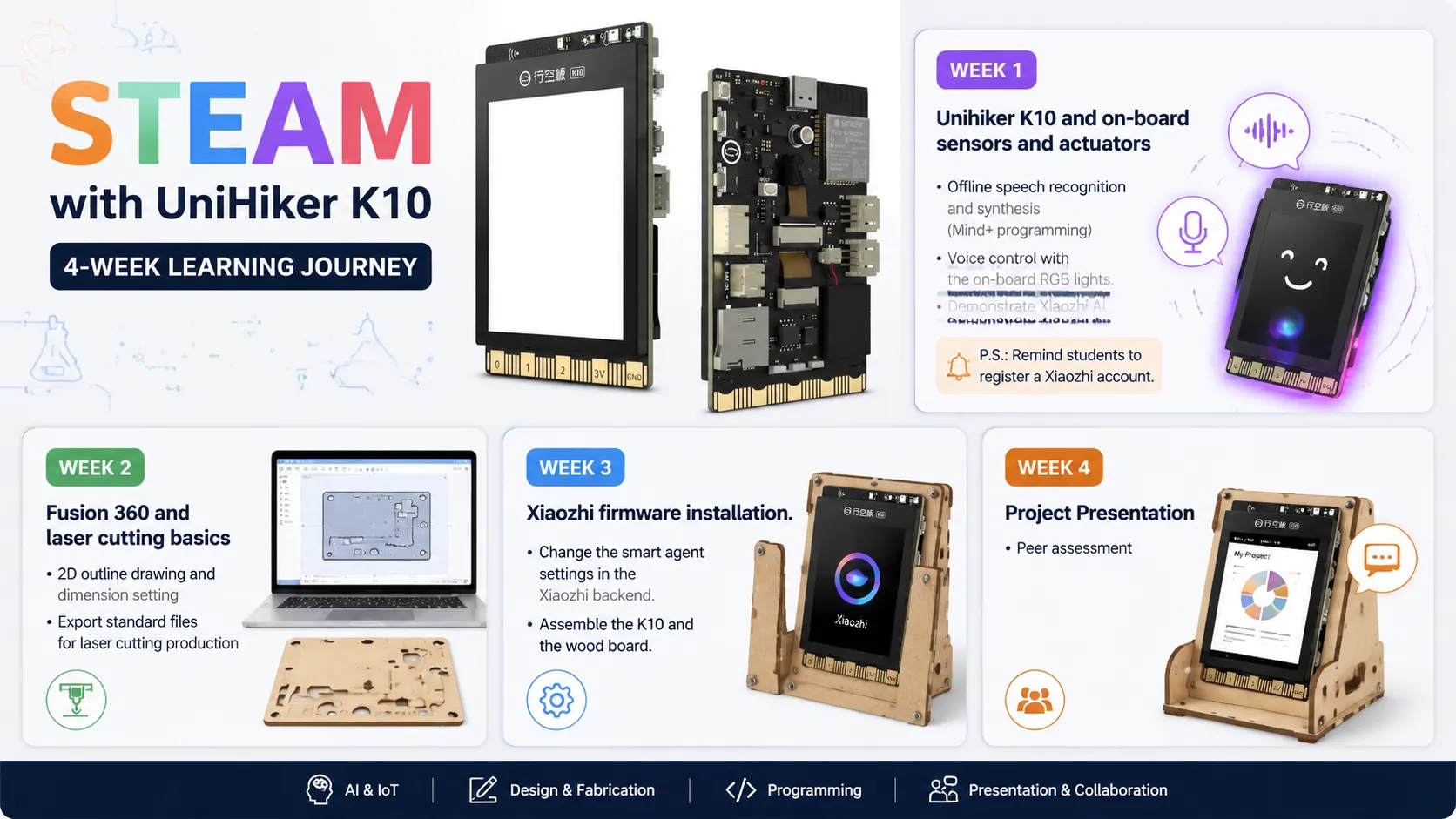
Week | Topic |
Week 1 | Unihiker K10 and on-board sensors and actuators Offline speech recognition and synthesis (Mind+ programming) Voice control with the on-board RGB lights. Demonstrate Xiaozhi AI. P.S.: Remind students to register a Xiaozhi account. |
Week 2 | Fusion 360 and laser cutting basics 2D outline drawing and dimension setting Export standard files for laser cutting production |
Week 3 | Xiaozhi firmware installation. Change the smart agent settings in the Xiaozhi backend. Combine the K10 and the wood board. |
Week 4 | Project Presentation Peer assessment |
Week 1
Learning Objectives
1. Understand what the Unihiker K10 is and its main hardware features (screen, microphone, speaker, sensors, etc.).
2. Learn how to connect the Unihiker K10 to a computer and use Mind+ software.
3. Experience K10 offline voice recognition and the built-in ASR module with Blockly programming.
4. Modify existing voice command code to create custom responses.
Teaching Materials
Software
• Mind+ V2 (latest version, pre-installed by teacher)
Hardware
• Unihiker K10 (one per group)
• USB cable (Type-C) – for connecting K10 to the computer
Additional Resources
K10 official documentation (for teacher reference)
Mind+ V2 documentation (for teacher reference)
Pre-written example code (from the official docs)
Teaching Process
Segment 1 (20min)
Time | Topic |
|---|---|
5min | Introduction to Unihiker K10 |
5min | Introduction to Mind+ Software |
5min | Offline AI Voice Coding on K10 |
5min | Voice-Controlled Lights |
Introduction to Unihiker K10 (5min)
Introduction to Mind+ Software (5min)
Offline AI Voice Coding on K10 (5min)
Voice-Controlled Lights (5min)
Segment 2 (60min)
Task1 (10min)
Task2 (20min)
Task3 (20min)
Task4 (10min)
Task5 (extra)
Teaching Evaluation
1. Understand what the Unihiker K10 is and its main hardware features (screen, microphone, speaker, sensors, etc.).
2. Learn how to connect the Unihiker K10 to a computer and use Mind+ software.
3. Experience K10 offline voice recognition and the built-in ASR module with Blockly programming.
4. Modify existing voice command code to create custom responses.
Learning Objectives | Evaluation Method |
|---|---|
Understand K10 hardware features | |
Connect K10 to Mind+ | |
Run offline voice recognition | |
Modify code for custom responses | |
Add new voice commands |